
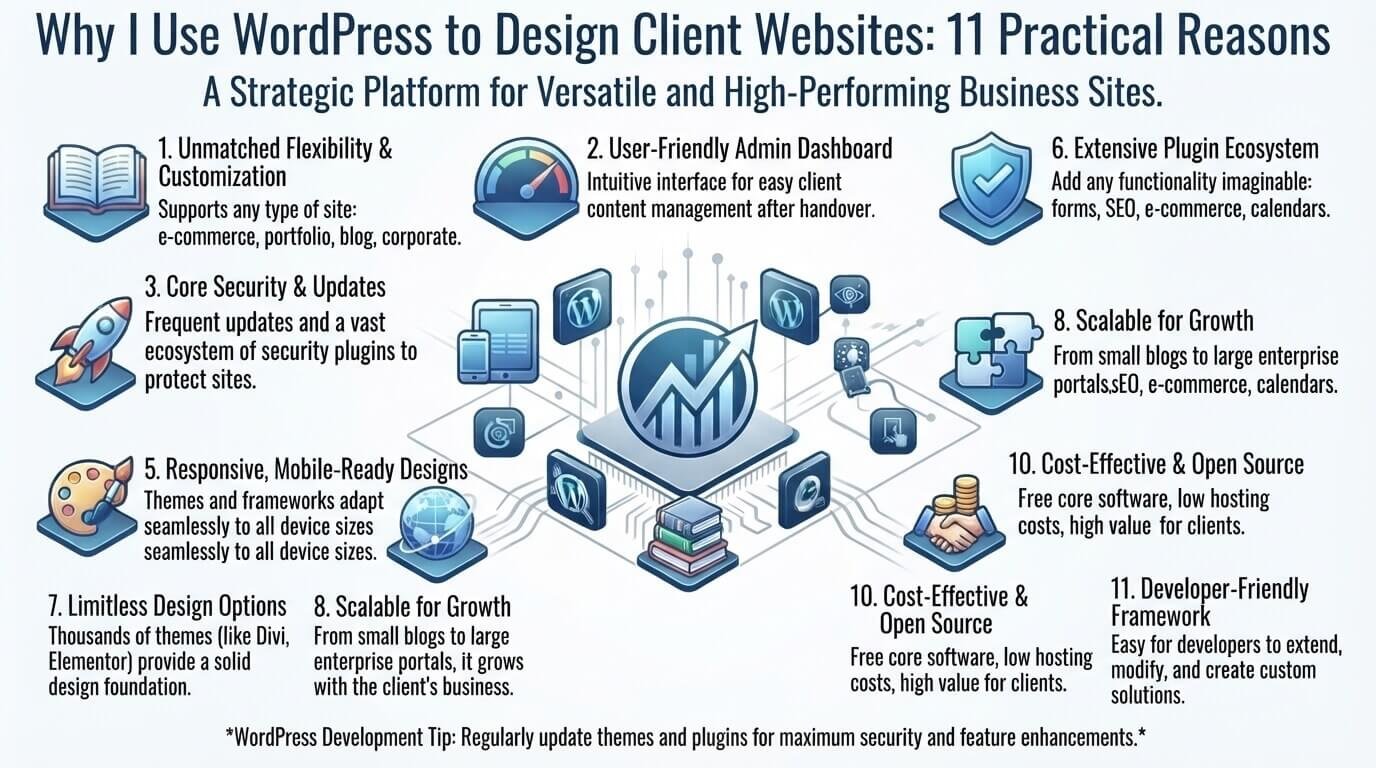
When someone asks me why I use WordPress to design client websites, my answer is not simply that WordPress is popular.
I use WordPress because it offers a practical combination of design flexibility, content management, SEO control, integrations, scalability, and long-term usability.
A client website should do more than look impressive when it launches. The business owner should be able to update content, add pages, publish articles, manage images, and make routine changes without needing a developer for every small task.
That does not mean WordPress is the right choice for every project. It still requires appropriate hosting, updates, backups, security, performance optimization, and careful plugin selection.
So, why use WordPress for client websites?
Here are the 11 practical reasons it fits many of the projects I work on—and the situations where I would choose another platform instead.
1. Clients Can Manage Their Own Website Content
One of the biggest reasons I use WordPress is the control it gives clients after the website is finished.
Imagine I build a five-page website for a local consulting company. Six months later, the owner wants to update a service description or publish a new article.
They should not necessarily need to contact the designer every time they want to make a simple content change.
With an appropriate WordPress setup, clients can generally manage:
- Pages
- Blog posts
- Images
- Menus
- Categories and tags
- Basic website content
- Some website settings
WordPress also provides different user roles and permissions, allowing website owners to control what individual users can manage. See the official WordPress Roles and Capabilities documentation for more information.
This makes the website handoff much easier.
I can build the structure and design, explain the basic workflow, and then give the client enough knowledge to handle routine updates independently.
For businesses that expect their website to grow, that flexibility can be more valuable than simply having an attractive design.
2. WordPress Allows Flexible Website Design
Using WordPress does not mean every website has to look like the same template.
A WordPress theme can provide the foundation, while the design can be customized around the client’s branding, audience, and business goals.
For example, a law firm might need:
- A professional homepage
- Practice-area pages
- Attorney profiles
- Testimonials
- Contact forms
- Location information
- Clear calls to action
A photographer could need something completely different:
- Portfolio galleries
- Project pages
- Large images
- Testimonials
- Inquiry forms
- Visual navigation
The underlying platform can support both approaches when the theme, plugins, and development strategy are chosen appropriately.
For more frontend-focused projects, knowledge of HTML, CSS, Bootstrap and Sass is also useful. It makes it easier to understand and customize how a WordPress website actually looks and behaves instead of depending entirely on visual controls.
If you are new to web development, learning how to learn coding with simple practical steps can also provide a useful foundation for understanding website customization.
3. WordPress Gives Client Websites Room to Grow
I rarely think of a client website as something that is permanently finished.
A business may launch with five pages and later need:
- A blog
- New service pages
- Landing pages
- Downloadable resources
- Booking functionality
- Membership features
- Ecommerce
- Lead-generation tools
Consider a small fitness business.
At launch, it might need:
- Home
- About
- Services
- Pricing
- Contact
Later, the business may want to publish fitness articles, collect leads, sell digital products, or allow customers to schedule appointments.
A properly planned WordPress website can be expanded as those requirements change.
For ecommerce projects, WordPress can also be extended with solutions such as WooCommerce. The official WooCommerce documentation provides guides for setting up, customizing, and expanding online stores.
That is one reason I consider future requirements when planning a client website rather than focusing only on launch-day needs.
4. The WordPress Plugin Ecosystem Can Reduce Development Time
Another major reason to use WordPress for client websites is its large ecosystem of plugins.
Instead of developing every feature from scratch, I can use an appropriate plugin when doing so is practical.
Depending on the project, plugins can provide functionality for:
- Contact forms
- SEO
- Caching
- Backups
- Security
- Ecommerce
- Analytics
- Memberships
- Booking
- Email marketing
However, I do not believe that more plugins automatically make a website better.
Installing unnecessary plugins can increase complexity, create compatibility issues, consume resources, and add maintenance requirements.
My approach is straightforward:
Use the smallest reliable set of tools needed to achieve the project’s goals.
If a simple feature can be implemented cleanly without another plugin, adding one may not be worthwhile.
5. WordPress Gives Me Control Over SEO
WordPress does not automatically make a website rank on Google.
Search visibility still depends on factors such as content quality, search intent, technical SEO, website performance, internal linking, authority, and user experience.
What WordPress provides is a flexible environment for implementing many SEO fundamentals.
Depending on the setup, I can work with:
- SEO titles
- Meta descriptions
- Heading structures
- Descriptive URLs
- Internal links
- Image optimization
- XML sitemaps
- Canonical settings
- Structured data
- Search analytics
- SEO plugins
WordPress also has built-in features and documentation related to search optimization, including permalinks and sitemaps. The official WordPress SEO documentation provides additional information.
Google’s SEO Starter Guide is another useful reference when planning search-friendly content and website structures.
For example, a plumbing company may have separate pages for emergency plumbing, drain cleaning, water heater repair, and other important services rather than placing everything on one huge page.
That can create a clearer website structure for both users and search engines.
The important distinction is:
WordPress provides SEO control; it does not guarantee SEO success.
6. WordPress Can Connect With Business Tools
A modern client website rarely operates completely by itself.
A business may already use:
- A CRM
- Email marketing software
- Analytics
- Payment services
- Booking platforms
- Customer-management tools
- Ecommerce systems
WordPress can often connect with these services through plugins, APIs, embeds, or other integrations.
Consider a coaching business.
Its website may need to:
- Explain the coaching services.
- Collect leads.
- Send contact information to an email platform.
- Allow prospects to schedule calls.
- Track website activity.
- Accept payments for selected services.
In that situation, the website becomes part of the business’s broader digital workflow rather than simply functioning as an online brochure.
That is an important consideration when choosing a CMS for a client project.
7. Why I Use WordPress to Design Client Websites: Support for Many Types of Websites
Another reason I use WordPress is its versatility.
Depending on the configuration, WordPress can support projects such as:
- Small business websites
- Blogs
- Portfolio websites
- Personal websites
- Service websites
- Publishing websites
- Membership websites
- Educational websites
- Ecommerce websites
The implementation should still be based on the actual requirements.
A photographer may need a visually focused portfolio, while an online store needs product management, payments, inventory, and checkout functionality.
The platform can accommodate different requirements, but the website still needs to be planned around the client’s business objectives.till needs to be planned around the client’s business objectives.
8. Clients Have More Long-Term Flexibility
There is another advantage that is easy to overlook.
A client is not necessarily dependent on the original designer for every future change.
If I stop working on a project, another WordPress professional may be able to take over the website.
That makes proper documentation and access management important.
Before handing over a website, I want the client to understand:
- Where the domain is registered
- Who controls the hosting account
- How administrator access works
- Which plugins are installed
- Where backups are stored
- Which third-party services are connected
- Who is responsible for maintenance
A professional website handoff should not leave the business owner wondering how their own website works.
9. WordPress Can Handle Different Levels of Complexity
Not every client needs the same development approach.
For a small service business, I might use a lightweight theme with a limited number of plugins.
For a more advanced project, the implementation may involve:
- Custom templates
- Custom CSS
- Advanced functionality
- Third-party integrations
- Custom fields
- Ecommerce
- Membership systems
- More specialized development
That flexibility allows the implementation to match the project instead of forcing every client into the same setup.
It also means a relatively simple website can sometimes start small and gain additional functionality as the business grows.
10. WordPress Gives Me Control—but Control Comes With Responsibility
One reason I like WordPress is the amount of control it provides.
But that control also creates responsibility.
A WordPress website needs ongoing attention to:
- WordPress updates
- Plugin updates
- Theme updates
- Security
- Backups
- Performance
- User permissions
- Compatibility
For example, updating a plugin directly on a live business website without appropriate testing can sometimes create compatibility problems.
That is why I consider WordPress website maintenance part of the overall strategy, not an optional task after launch.
Performance also deserves attention.
Large images, unnecessary plugins, excessive scripts, poor hosting, and inefficient frontend implementations can all affect website performance.
Understanding frontend techniques such as CSS animation can help when adding visual effects without making a website unnecessarily complicated.
11. WordPress Fits My Client Website Workflow
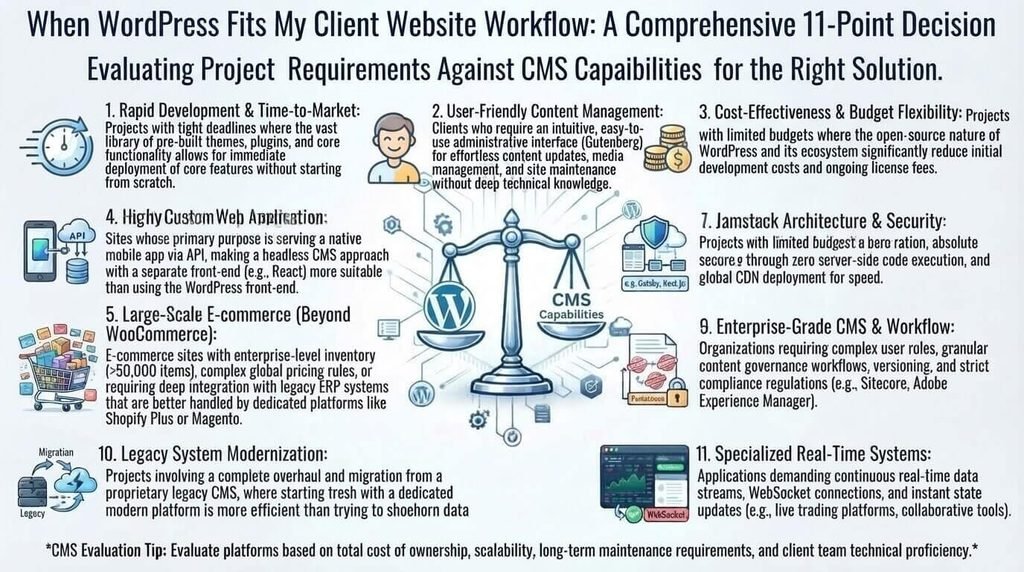
Ultimately, one of the biggest reasons I use WordPress is that it fits the way I approach client website projects.
I do not start by installing WordPress and immediately choosing a theme.
I start with the business.
Step 1: Understand the Client’s Goal
First, I determine what the website is supposed to accomplish.
Is the goal to:
- Generate leads?
- Sell products?
- Provide information?
- Showcase a portfolio?
- Collect bookings?
- Support an existing business?
The answer affects almost every later decision.
Step 2: Plan the Website Structure
Next, I determine the important pages and how visitors should move through the website.
For a service business, that might include:
- Home
- About
- Services
- Individual service pages
- Blog
- Contact
Step 3: Plan the Content
The design should support the content instead of forcing useful information into an attractive but confusing layout.
I identify what visitors need to know before they can trust the business and take action.
Step 4: Choose the Design Approach
Only after understanding the project do I decide whether a particular theme, block-based approach, builder, or customized development method makes sense.
Step 5: Build the Core Pages
I focus on:
- Clear navigation
- Readable content
- Responsive layouts
- Strong calls to action
- Consistent branding
- Useful page structures
Step 6: Add Necessary Functionality
If the website needs a contact form, analytics, SEO functionality, booking system, ecommerce, backups, or another feature, I add an appropriate solution.
I avoid adding functionality simply because it is available.
Step 7: Test the Website
Before launch, I check:
- Mobile responsiveness
- Navigation
- Forms
- Links
- Images
- Page layouts
- Basic SEO settings
- Performance
- User permissions
For SEO and technical checks, Google recommends ensuring important pages are crawlable and using tools such as Search Console to understand how Google sees the website. A Google sitemap guide can also help with sitemap implementation.
Step 8: Prepare the Client for Handoff
Finally, the client should know how to perform routine tasks and where their important website accounts are managed.
This workflow is a major part of why WordPress works well for many of the client projects I build.
What I Don’t Like About WordPress
A balanced discussion should include the disadvantages too.
The same flexibility that makes WordPress useful can also create additional responsibility.
Plugin Conflicts
Plugins may not always work perfectly together, particularly after software updates.
That is one reason I prefer using a limited number of reputable, actively maintained plugins.
Maintenance
WordPress websites need regular updates and monitoring.
Ignoring maintenance for long periods can create technical and security problems.
Security
WordPress itself is not a reason to ignore security.
Weak passwords, unnecessary administrator accounts, outdated software, poorly maintained plugins, and weak hosting practices can create avoidable risks.
Performance
A WordPress website can become slow when it relies on oversized images, excessive plugins, unnecessary scripts, inefficient themes, or poorly configured hosting.
Performance should therefore be considered during development rather than treated as a problem to solve after launch.
Complexity
A beginner can create a basic WordPress website relatively quickly.
Managing a more complex website, however, requires greater technical knowledge.
That distinction matters when deciding whether to build a website yourself or hire a professional.
When I Wouldn’t Use WordPress for a Client Website
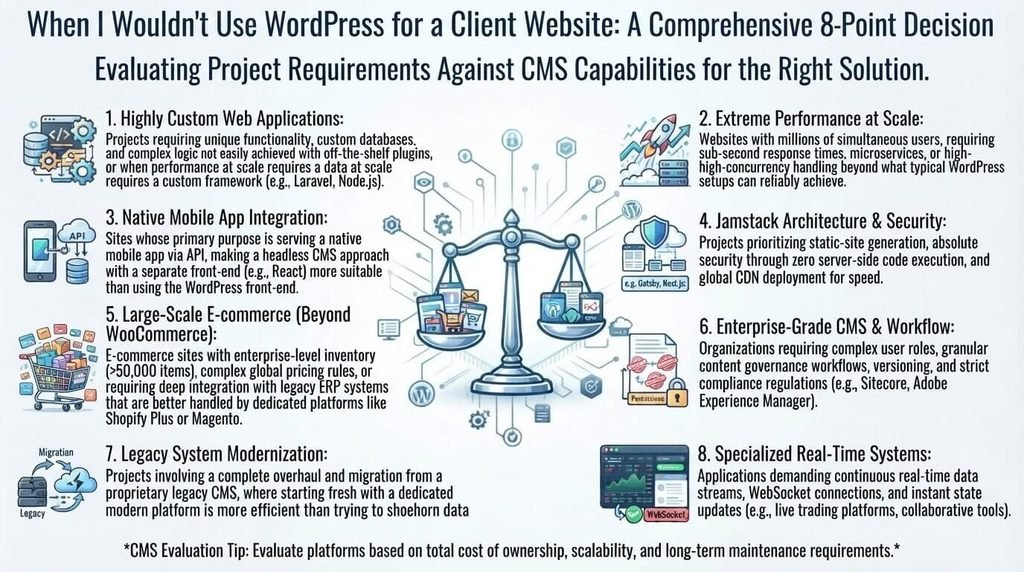
I do not believe every client website needs WordPress.
For some projects, another platform may be a better technical or operational fit.
A different solution may make more sense when a client needs:
- A highly specialized web application
- Complex enterprise functionality
- A tightly controlled software environment
- A specific ecommerce ecosystem
- Very limited technical maintenance
- Custom functionality that would require extensive WordPress modifications
For example, a business that wants a very simple website with minimal technical management may prefer a fully managed website builder.
On the other hand, a project that is primarily a complex web application may require a different development architecture.
The better question is not:
“Is WordPress the best platform?”
Instead, ask:
“Which platform best matches this client’s goals, budget, technical requirements, and willingness to maintain the website?”
That approach leads to a more practical platform decision.
WordPress vs. Other Website Platforms
I compare website platforms according to the project rather than assuming one platform is appropriate for every client.
| Factor | WordPress | Wix | Squarespace | Shopify |
|---|---|---|---|---|
| Design flexibility | High, depending on setup | High | Moderate to high | High for ecommerce |
| Hosting | Usually managed separately | Included | Included | Included |
| Maintenance | More responsibility | Generally less | Generally less | Generally less |
| Ecommerce | Available through solutions such as WooCommerce | Available | Available | Core focus |
| Plugins/integrations | Large ecosystem | Available | Available | Large app ecosystem |
| Website control | High | Platform-dependent | Platform-dependent | Platform-dependent |
| Typical strength | Flexible websites and content management | Managed website building | Design-focused websites | Ecommerce |
These differences do not make one platform universally better.
The appropriate choice depends on the client’s requirements, technical resources, budget, content strategy, and long-term plans.
How I Prepare a WordPress Website Before Handing It to a Client
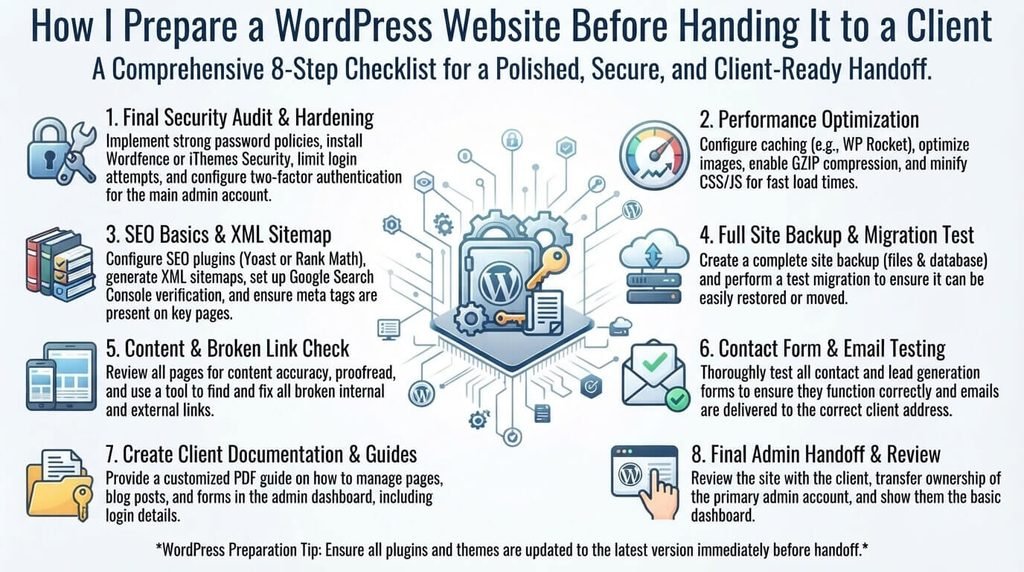
A website is not ready simply because the homepage looks good.
Before handing over a client website, I recommend checking the following.
Website Launch Checklist
Design and User Experience
- Test the website on mobile devices.
- Check navigation.
- Make sure fonts are readable.
- Confirm buttons are easy to identify.
- Check that important information is easy to find.
- Confirm branding is consistent.
Content
- Make sure the homepage clearly explains the business.
- Check important service descriptions.
- Create dedicated pages for important services where appropriate.
- Make contact information easy to find.
- Review the About page.
- Add useful FAQs where relevant.
SEO
- Review the SEO title.
- Write a useful meta description.
- Use one clear H1.
- Organize content with logical H2 and H3 headings.
- Use descriptive URLs.
- Add relevant internal links.
- Optimize image alt text where appropriate.
- Confirm the XML sitemap is available.
- Check Search Console configuration.
- Review canonical settings.
Performance
- Compress and resize large images.
- Remove unnecessary plugins.
- Configure caching where appropriate.
- Test important pages.
- Check mobile performance.
Security and Maintenance
- Update WordPress.
- Update themes.
- Update plugins.
- Configure reliable backups.
- Use strong passwords.
- Review administrator accounts.
- Remove unnecessary users and software.
These checks help reduce avoidable problems after launch.
Frequently Asked Questions
Why do web designers use WordPress for client websites?
Many designers use WordPress because it combines content management, design flexibility, integrations, SEO controls, and a large ecosystem of themes and plugins. The specific reasons vary depending on the designer and project.
Is WordPress good for client websites?
WordPress can be suitable for many client websites, particularly when the client wants content management flexibility, room to grow, and control over the website. The final decision should depend on the project’s requirements.
Can clients edit their own WordPress websites?
Yes. WordPress provides user roles and permissions that can be configured so clients can manage appropriate website content without necessarily having access to every administrative function.
Is WordPress difficult to maintain?
A basic website can be relatively straightforward to maintain, but more complex installations require regular attention to updates, backups, security, performance, and plugin compatibility.
Is WordPress good for SEO?
WordPress provides a flexible foundation for implementing many SEO practices, but the platform itself does not guarantee rankings. Useful content, search intent, technical SEO, internal linking, performance, website structure, and other factors still matter.
How much does a WordPress client website cost?
There is no universal price.
Costs can include:
- Domain registration
- Hosting
- Design and development
- Premium themes
- Premium plugins
- Content creation
- SEO
- Branding
- Maintenance
- Security
- Backups
A simple business website can have very different requirements from a custom ecommerce or membership website.
Should I build a WordPress website myself or hire a professional?
It depends on the project’s complexity, your technical skills, available time, and budget.
DIY can make sense for a simple website when you have enough time to learn and maintain it.
Professional help may be useful when the website is important for lead generation, requires custom functionality, needs advanced SEO, or would be expensive for the business to get wrong.
When should a client choose something other than WordPress?
Another platform may be more appropriate when the client wants a highly managed environment, has very simple requirements, prefers a specialized ecommerce ecosystem, or needs complex application functionality that does not fit naturally into a WordPress setup.
Final Thoughts
Why I use WordPress to design client websites comes down to flexibility, control, and practicality.
WordPress allows me to build different types of websites, customize their designs, connect business tools, create structured content, and give clients the ability to manage their websites after launch.
But those benefits come with responsibilities.
A successful WordPress website still needs thoughtful plugin selection, appropriate hosting, security, backups, performance optimization, SEO planning, and ongoing maintenance.
For me, the goal is not to use WordPress simply because it is popular.
The goal is to use it when its content management capabilities, design flexibility, ecosystem, and scalability genuinely match the client’s needs.
A successful client website is ultimately about more than the CMS behind it. The design, content, user experience, performance, security, SEO, and business objectives all need to work together.